
This is an old revision of the document!
Table of Contents
- type:
- gateway
- name:
- Cybersource Hosted
- countrie:
- US, GB, JP
- support-added:
- 1.1.0
- gateway:
- http://www.cybersource.com/
Cybersource
Setting Up Cybersource for FoxyCart
- Set up your CyberSource account - http://www.cybersource.com/register/
- Login to 'Test Business Center' https://ebctest.cybersource.com/
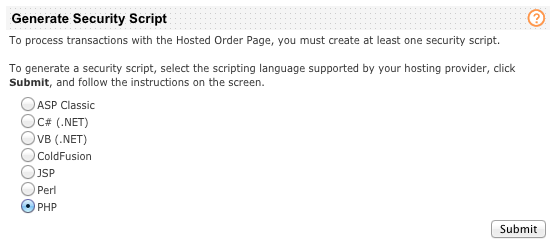
- Go to Tools & Settings > Hosted Order Page > Security. Under “Generate Security Script” select PHP and click ‘“Submit”.
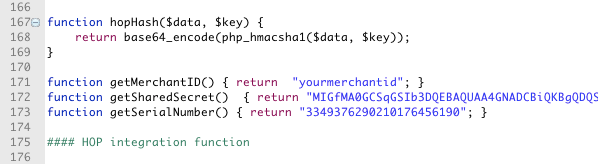
- Save, and then open the resulting file HOP.php, and search for “function getSharedSecret()” to get the value. Copy all the letters/numbers in between the double-quotes: this is your Shared Secret Key. Make sure to keep a copy of this key in a safe place as it can not be re-generated.
 .
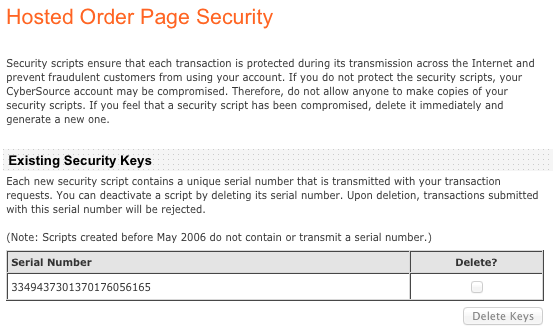
- The Hosted Order Page Security page will now contain a “Serial Number”, which you will use along with the shared secret to configure the plugin.
 .
- Login to your FoxyCart admin. Click the “payment” link under “STORE”. Set your payment method to Cybersource.com.
- Add your credentials and save.


Testing
Obtaining a Test Account
Test Card Numbers
Important Notes and Caveats
FoxyCart Subscriptions aren't supported with Cybersource Hosted Payment Page yet.
User Notes and Experiences
If you have tips, experience, or helpful notes related to this gateway that would benefit others, please add them below, including your name and the date. We at FoxyCart reserve the right to edit or remove comments that don't add value to this page.